Custom GUIs
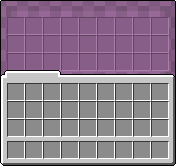
Custom Shulker box GUI
File location
/assets/minecraft/optifine/gui/container/*.properties
Custom GUIs can define a texture for each GUI, and apply them based on different criteria, such as the entity, biome, height, and more.
For each container GUI texture to override, create a .properties file in the /assets/minecraft/optifine/gui/container folder of the resource pack.
Properties files can be organized into subfolders of any depth, as long as everything is within the top-level /assets/minecraft/optifine/gui/container folder.
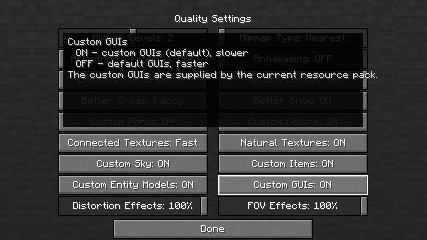
Important
Different container types have different requirements and restrictions.
General properties
- container
Type of container GUI to apply to.
creativerefers to the creative inventory with the tabs.inventoryrefers to the normal survival inventory (with the player in a window).
- texture
The replacing texture for the default GUI texture.
- texture.PATH
Replaces a specific sub-texture of the GUI;
PATHis relative to/assets/minecraft/textures/gui.Important
The creative inventory GUI does not have a default texture, so it must use
texture.PATHproperties.Example for creative inventory:
/assets/minecraft/optifine/gui/container/creative/creative_desert.properties¶container=creative biomes=desert texture.container/creative_inventory/tab_inventory=tab_inventory_desert texture.container/creative_inventory/tabs=tabs_desert texture.container/creative_inventory/tab_items=tab_items_desert texture.container/creative_inventory/tab_item_search=tab_item_search_desertImportant
At least one
textureortexture.PATHproperty is required.
- name
Custom entity or block entity name.
For example: Beacon, Brewing Stand, Enchanting Table, Furnace, Dispenser, Dropper, Hopper, and Command Blocks.
This will apply the replacement GUI only when the container matches this rule.
- biomes
Biomes where this replacement applies.
Biomes added by mods can also be used with the same syntax.
- heights
Heights where this replacement applies.
Since 1.18, negative values may be specified for height. When used in a range they must be put in parenthesis:
(-3)-64.
Specific properties
These additional properties do not need any separate files.
They are just properties that apply only when container equals their required value.
Chests
Note
Implies container=chest.
- large
Whether to use the replacement GUI on a large (double) chest.
- trapped
Whether to use the replacement GUI on a trapped chest.
- christmas
Whether to use the replacement GUI on any Christmas chest. Christmas chests appear from December 24 to 26 of any year.
- ender
Whether to use the replacement GUI on an Ender Chest.
Beacons
Note
Implies container=beacon.
- levels
What levels of beacon power to apply the replacement to; how many bases of blocks.
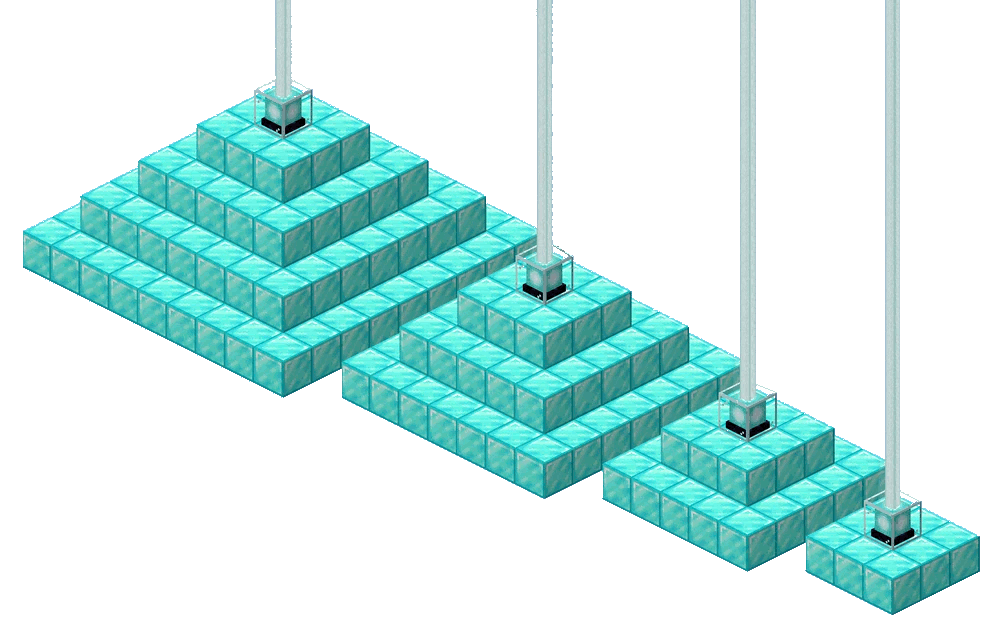
The levels from left to right: 4, 3, 2, 1.
Villagers
Note
Implies container=villager.
- professions
List of villager professions with an optional level specifier.
Entry format:
<profession>[:level1,level2,...]Examples:
Professions farmer (all levels) or librarian (levels 1,3,4):
professions=farmer librarian:1,3-4Professions fisher, shepard, nitwit:
professions=fisherman shepherd nitwit
Horse
Note
Implies container=horse.
- variants
What specific horse type to apply this replacement to.
Dispenser, dropper
Note
Implies container=dispenser. Dropper applies as well.
- variants
What specific block to apply the replacement GUI to.
Llama, shulker box
Note
Implies container=shulker_box or container=horse.
Important
Despite the container being horse, this property will apply to Llamas.
- colors
Shulker box color or llama carpet color to apply the replacement texture to.
Valid values:
white,orange,magenta,light_blue,yellow,lime,pink,gray,light_gray,cyan,purple,blue,brown,green,red,black