Models
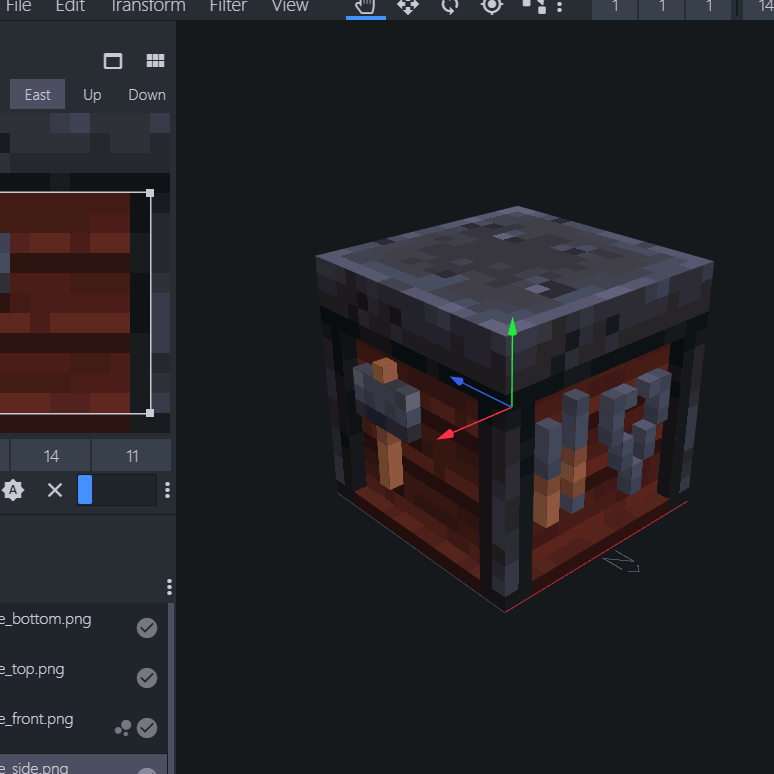
A 3D model in Blockbench.
File location
/assets/minecraft/optifine/cem/**/*.jem
CEM model files contain the definition of a whole entity model. It is written in JSON.
They may be located anywhere inside the cem folder.
The name of the file must match one of the entity names in Entity names,
or be in the folder /assets/minecraft/optifine/cem/<entity name>.
Keys
- texture
Texture used by entity model.
- textureSize
Texture size in pixels
- shadowSize
Shadow size as a scale.
- models
Array of model objects that make up the entity's full model.
- baseId
Model parent ID. If specified, all parent properties are inherited and do not need to be explicitly put.
- model
Path to a part model file (
.jpm) from which to load the part model definition.If this is not specified, the items in a JPM can be specified inline to this object, the parent of "model".
- id
Model ID, can be used to reference the model as parent.
- part
Entity part to which the part model is attached.
See Entity names for a list of part names for each entity.
Important
Make sure that the part names correspond with your model's applicable entity.
- attach
How to handle replacing overlapping parts.
True: Attach (add) to the entity part.
False: Replace the entity part.
- scale
Render scale. A value of 0.0 will make it infinitely small and thus "invisible".
Part model definitions
All of the items in a CEM parts file can be put here instead, if model is absent.
- animations
Refer to CEM animation for what to place in each object in this list.
Randomized models
The alternative models use the same name as the main model with a number suffix.
For example:
wolf.jem - main model (index 1)
wolf2.jem - alternative model (index 2)
wolf3.jem - alternative model (index 3)
The alternative models are selected randomly based on the entity ID.
To customize the use of the alternative models, add a <model_name>.properties file in the folder where the models are located.
The properties file works identically to the properties file used by Random Entities.
The models to be used are selected with the setting models.<n>=<list> instead of textures.<n>=<list>.
The index of the current matching rule is available as the animation parameter rule_index, and can be used to cutomize the model depending on entity properties.
For more details, see Random Entities.
Examples
models.1=2
name.1=James
models.1=2
nbt.1.Type=spruce

models.2=3
nbt.2.Type=birch
models.1=2
models.1=2
name.1=James
blocks.1=black_bed

models.2=3
blocks.2=orange_bed